
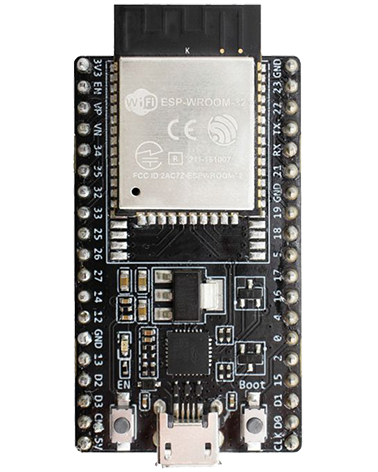
SPI Pins See the S# series datasheet for the ESP device you are using > Peripheral Pin Configurations Resources https://docs.espressif.com/projects/esp-idf/en/latest/esp32/api-reference/peripherals/spi_master.html SPI Ports on the ESP32 ESP32 C3 ESP32 C3 integrates 3 SPI peripherals. SPI0 and SPI1 Used internally to access the ESP32’s attached flash memory. SPI2 General purpose SPI controller. ESP32 S3 ESP32 S3 integrates […]
All posts by
Issues with Programming & Debugging
Where to look for indications of the problem The Espressif troubleshooting page has a good guide (and is what they’ll probably ask you for if you request help) Useful troubleshooting changes you can do in in launch.json JTAG debugging issues we’ve encountered (using ESP-Prog and VSCode) “connect ECONNREFUSED 127.0.0.1:9998” In launch.json, changing mode to auto […]
.ESP32 S3 General
JTAG Interface The JTAG pins are not enabled by default, they are assigned to the USB JTAG port. To use them you need to burn an eFuse (which you do via the serial port or the USB port). To enable the JTAG pin see here.
eFuse Programming
espefuse.py tool Github repo for espefuse.py espefuse.py is a command line tool, it gets installed as part of the ESP-IDF VSCode plugin install process. You can run it from the Windows command prompt, or in the VS Code TERMINAL window (you may need to press Enter in the Terminal windows to take it out of […]
System 1uS timer
esp_timer_get_time starts counting from 0 at startup / wake from deep sleep. It increments every 1uS int64:0x0000000000000000 to 0x7FFFFFFFFFFFFF9,223,372,036,854,775,807 uS9,223,372,036,854 seconds153,722,867,280 minutes2,562,047,788 hours106,751,991 days292,471 years Using esp_timer_get_time to time things
TWDT for a specific task
Programming with VS Code
ESP-IDF Build, Flash and Monitor To exit from IDF monitor use “Ctrl+]”
Default IDLE# tasks watchdog timer
First read the Tasks basic on this page, to understand the basic tasks based approach of the ESP-IDF / FreeRTOS. IDLE Watchdog The ESP-IDF created task for each CPU core (called “IDLE0”, and “IDLE 1” if there is a second core) are idle tasks that reset watchdog timeout whenever that respective core is idling. This […]
CMakeLists.txt
ESP-IDF uses the CMake build automation tool and if you created your project from one of the sample projects you will have the necessary “CMakeLists.txt” files. These contain the instructions describing the project sources files and targets. Which CMakeLists.txt file is used for what ? The CMake project hierarchy in ESP IDF is a bit […]
Help and resources
ESP resources Espressif Build System documentation