
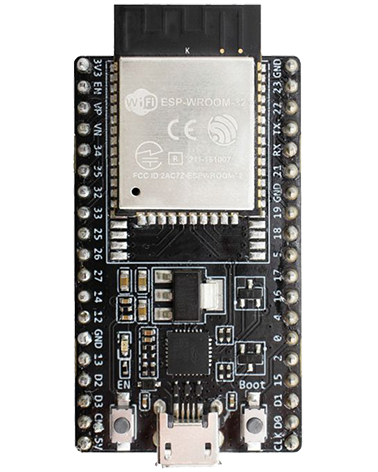
Programming Adapter You need a suitable programming adapter, see our programming hardware page. Download the Espressif Windows software Download and install “Flash Download Tools” in the Tools section from: https://www.espressif.com/en/products/hardware/esp32/resources Programming instructions Run the flash download tool “flash_download_tool_v#.#.#.exe” Chip Type: The model of ESP32 being programmed (see the parts list or circuit schematic)Work Mode: DevelopLoad […]
All posts by
malloc
Temporary memory example //CREATE TEMPORARY MEMORY BUFFER uint32_t *my_temporary_memory_buffer = malloc(1024 * sizeof(uint32_t)); //Allocate a block of size bytes of memory, returning a pointer to the beginning of the block. Use calloc() to do same but zero initialise the buffer. if (my_temporary_memory_buffer != NULL) { //Use my_temporary_memory_buffer as needed my_temporary_memory_buffer[0] = 1234; //RELEASE TEMPORARY MEMORY […]
Soft reset
printf("Restarting now…\n"); fflush(stdout); esp_restart();
TCP Server
Ethernet TCP Server Example (This example is based on using a wired Ethernet port, the setup and event_handler would need adapting to use for the WiFi port) #include <stdio.h> #include <string.h> #include <sys/fcntl.h> #include "freertos/FreeRTOS.h" #include "freertos/task.h" #include "esp_wifi.h" #include "esp_system.h" #include "esp_err.h" #include "esp_event_loop.h" #include "freertos/event_groups.h" #include "esp_event.h" #include "esp_attr.h" #include "esp_log.h" #include "esp_eth.h" #include […]
.Writing to the ESP_LOG#
Resources https://docs.espressif.com/projects/esp-idf/en/latest/esp32s3/api-reference/system/log.html Why use the log instead of printf? Writing to log What we do Including values Including strings Value format codes See here. Enabling/disabling logs from being output E.g. selectively including messages from certain files, production release code where you don’t want messages to appear at the serial port or take time away from […]
Event group
Using an event group static EventGroupHandle_t tcpserver_event_group; //Create it tcpserver_event_group = xEventGroupCreate(); //Set the state when say a connection happens or is lost xEventGroupSetBits(tcpserver_event_group, CONNECTED_BIT); xEventGroupClearBits(tcpserver_event_group, CONNECTED_BIT); //Wait for connected xEventGroupWaitBits(tcpserver_event_group, CONNECTED_BIT, false, true, portMAX_DELAY); //Stalls (with timeout)
Event handler
You can subscribe to be notified of ESP events using this In your initialise ESP_ERROR_CHECK( esp_event_loop_init(event_handler, NULL) ); Event handler fucntion //*************************************** //*************************************** //********** ESP EVENT HANDLER ********** //*************************************** //*************************************** //Call this at startup: //ESP_ERROR_CHECK( esp_event_loop_init(event_handler, NULL) ); static esp_err_t event_handler(void *ctx, system_event_t *event) { switch(event->event_id) { case SYSTEM_EVENT_STA_START: //WiFi connected break; case SYSTEM_EVENT_STA_GOT_IP: //WiFi […]
.TCP/IP General
Resources https://docs.espressif.com/projects/esp-idf/en/latest/api-reference/ethernet/esp_eth.html
FreeRTOS Tick Rate
Defaint is 100Hz / 10mS You can change it with make menuconfig: Component config > FreeRTOS > Tick Rate (Hz) Whacking it all the way up to 1000 will cause some things to be affected as the scheduler has less time to deal with calling different tasks.
Priority
Priority Each task is assigned a priority from 0 to (configMAX_PRIORITIES – 1 ), (configMAX_PRIORITIES is defined in FreeRTOSConfig.h). Low priority numbers denote low priority tasks. The idle task has priority zero (tskIDLE_PRIORITY). The task placed into the Running state by the scheduler is always the highest priority task that is able to run – higher priority tasks […]